


Space Invaders
Fill the form and submit.













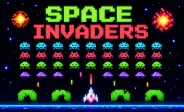
Space Invaders is a classic arcade-style shooting game where you control a spaceship and defend Earth from waves of aliens. You need to move your ship across the screen, avoid enemy attacks, and fire lasers at incoming UFOs. The game uses simple controls, so you can start playing quickly. As more enemies appear, you need faster reactions and better movement. Your goal is to survive the attack, destroy as many aliens as possible, and achieve a high score.
Take Control of Your Spaceship
You control a spaceship at the bottom of the screen as waves of aliens move across the sky. Your job is to keep your ship safe while attacking the incoming enemies. Move left and right to avoid enemy fire and find a good position for your next attack.
Press the Spacebar to fire laser shots at the aliens. Try to aim carefully and keep shooting as enemies move closer. You need to balance movement and shooting because staying in one place can leave your spaceship open to attacks. Keep watching the enemy formation and move when you see danger approaching.
Controls
You can use several control options on desktop:
- Left Mouse Button: Move the spaceship.
- Left Arrow: Move left.
- Right Arrow: Move right.
- W: Move left.
- D: Move right.
- Spacebar: Shoot lasers.
Choose the controls that feel easiest for you. Using familiar keys can help you react faster during busy moments.
Fight Waves of Alien Enemies
The main challenge comes from the number of enemies on the screen. You need to keep shooting while also watching for incoming attacks.
As you clear aliens, new enemies can continue to appear. You need to stay focused because the action can become faster and harder to manage. Try to avoid moving without a plan. Small movements can help you stay away from attacks while keeping your spaceship ready to fire.
Use Your Laser Carefully
Your main weapon is the spaceship's laser. You can fire by pressing the Spacebar. Aim for aliens that are moving into a clear position. You can keep your ship moving while firing to cover different parts of the screen.
Good timing can help you hit enemies more often. Instead of only focusing on one target, watch the entire formation and look for nearby threats.
Tips for a Better Score
- Keep moving: Avoid staying in one position for too long.
- Watch the enemies: Look at incoming attacks before they reach you.
- Shoot often: Use your laser to reduce the number of aliens on screen.
- Move carefully: Small movements can help you avoid enemy fire.
- Stay focused: Keep track of both your target and nearby attacks.
- Use the full area: Move across the screen when you need more space.
- Practice your timing: Repeated runs can help you react faster.
Dodge Incoming Attacks
Avoiding enemy fire is an important part of the game. You need to watch for projectiles and move your spaceship before they reach you. Try to keep enough space around your ship. This gives you more room to move when an attack comes from above.
You can also use the left and right sides of the screen to change your position. Quick movement can help you escape dangerous situations.
Retro Arcade Gameplay
The game uses a simple pixel-style design that gives it a classic arcade feel. You do not need complicated controls or a long tutorial before starting. The straightforward gameplay makes each round easy to understand. You move, shoot, dodge, and try to survive as long as possible.
The high-score system also gives you a reason to replay the game. Each new attempt lets you work on your movement and try to defeat more enemies.









Spacebar Mode
Spacebar Hits
Spacebar games