


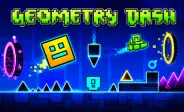
Geometry Dash
Fill the form and submit.








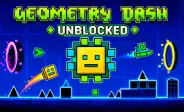
Geometry Dash is a rhythm platform game where you guide a character through fast and challenging levels. Your character moves forward automatically, so you must focus on timing each jump and movement. Spikes, gaps, blocks, portals, and other obstacles can appear along the path.
The game was created by RobTop Games and developed by Robert Topala. Its simple controls make it easy to start, while harder levels require patience, quick reactions, and good memory.
Learn the Basic Controls
The main controls are simple. You can click your mouse, tap the screen, or use the Spacebar to control your character.
- Click or tap: Make your character jump.
- Spacebar: Jump in supported versions.
- Hold: Control upward movement in modes such as the ship.
- Release: Move downward when the current mode uses this control.
You need to choose the right moment for every action. A small timing mistake can send you back to the start.
Follow the Music and Watch the Path
Music is an important part of the gameplay. Many obstacles and movement changes are designed around the rhythm of each level.
You can listen to the beat while watching the path ahead. This can help you prepare for jumps and repeated patterns. Still, you should not depend only on the music because visual timing is also important.
Explore Different Game Modes
Portals can change how your character moves during a level. Each mode requires a different type of control. Cube Mode lets you jump over obstacles from the ground. Ship Mode lets you fly by controlling your height. Ball Mode changes gravity between the floor and ceiling.
You can also encounter UFO, Wave, Robot, Spider, and Swing modes. These forms have different movement patterns, so you need to adjust quickly when a portal changes your character.
Take On Different Challenges
The official levels use different difficulty ratings. You can start with easier levels and slowly work toward more demanding challenges.
As the difficulty increases, you may face faster movement, smaller spaces, tighter jumps, and more complex patterns. Learning the level layout can help you react before an obstacle reaches you.
Use Practice to Improve
Practice is one of the best ways to learn difficult sections. Instead of trying to complete a level perfectly on every attempt, you can focus on one hard part at a time.
Repeat sections that cause problems and remember where each obstacle appears. After you become comfortable with the layout, try the full level again.
Different GD Versions
Geometry Dash Full Version - The full game provides the largest collection of official and community content. It also includes features such as the level editor, online levels, achievements, rewards, and character customization.
Geometry Dash Lite - provides a smaller selection of content and is designed as a free way to experience the basic gameplay. It is useful for learning the controls and rhythm mechanics.
Geometry Dash Meltdown - uses a different theme and includes three special levels: The Seven Seas, Viking Arena, and Airborne Robots. Each stage brings new patterns and music.
Geometry Dash World - includes short levels across different worlds. It also adds features such as daily quests, rewards, and selected online content.
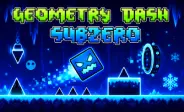
Geometry Dash SubZero - includes three levels: Press Start, Nock Em, and Power Trip. It uses a winter-themed visual style with fast gameplay and strong electronic music.
Tips for Better Runs
- Start with easier levels to learn the controls.
- Use Practice Mode for difficult sections.
- Watch for portals, rings, pads, and spikes.
- Learn obstacle patterns through repeated attempts.
- Use music as a timing guide.
- Take breaks when you lose focus.
- Avoid rushing through unfamiliar sections.






Spacebar Mode
Spacebar Hits
Spacebar games