


Geometry Jump
Fill the form and submit.


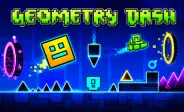






Geometry Jump is a fast 2D platform game built around running, jumping, flying, and quick reactions. You control a geometric character that moves through colorful stages filled with spikes, blocks, bricks, and other hazards. Your goal is to reach the finish while avoiding everything in your path.
The game uses simple rhythm-based controls, so you can learn the basics quickly. However, the levels become more challenging as you move forward. Good timing is important because hitting an obstacle can send you back to the start unless you have placed a checkpoint.
Explore Colorful Game Worlds
Geometry Jump uses bright geometric visuals with colorful 2D designs. Each stage has its own layout, music, and obstacle patterns. If you enjoy similar rhythm platform games, Geometry Dash World also offers short levels with colorful designs and fast challenges.
The soundtrack matches the action and can help you time your jumps. As you progress, watch the screen carefully and react quickly to new obstacles.
Choose From 15 Modes
The game includes 15 normal modes, with each mode offering a different theme, setting, and style of challenge. You can move through different environments while practicing your jumps, movement, and timing.
- Classic Mode: A simple starting mode that focuses on basic movement and jumping.
- Neon Mode: Features a bright theme where quick reactions help you handle obstacles.
- Forest Mode: Uses a nature-based setting with jumps and paths that test your timing.
- Ice Mode: Adds a cold-themed environment where careful movement is important.
- Desert Mode: Takes you through a dry setting with obstacles that require steady control.
- Space Mode: Gives the gameplay a space-themed feel while testing quick reactions.
- Lava Mode: Uses a hot environment where you need to react quickly to hazards.
- City Mode: Takes place around a city-style setting with different obstacle sections.
- Cave Mode: Uses darker surroundings and requires careful attention to the path ahead.
- Sky Mode: Gives you an open sky-themed setting with jumps that test your timing.
- Ocean Mode: Adds a water-themed environment with new visual surroundings.
- Candy Mode: Uses a colorful candy-style setting for a lighter visual experience.
- Cyber Mode: Brings a futuristic theme with fast sections and challenging movement.
- Night Mode: Uses a darker setting where you need to stay focused on upcoming obstacles.
- Final Mode: Provides a later challenge where you can use the skills learned from earlier modes.
Note: These mode names and descriptions should be treated as site-specific content unless they are confirmed by the game's official level list.
Customize Your Character
You can choose from 60 unlocked skins to change the appearance of your character. This gives you plenty of options when you want a different look.
The customizable characters fit the game's colorful visual style. You can select a design you like and use it while working through the different stages.
Avoid Different Obstacles
You will face several types of obstacles during your runs. Spike blocks can require careful jumps, while square bricks can block your path. Some sections also include liquid pools that you need to avoid.
Your character keeps moving through the stage, so you need to react before reaching each hazard. Learning the pattern of a level can make later attempts easier.
Use Flags as Checkpoints
Flags are an important part of Geometry Jump. You can place a flag before a difficult section to create a checkpoint. If you hit an obstacle after placing the flag, you can continue from that checkpoint instead of returning to the beginning.
You have 10 flags in a single game, so you should place them carefully. Try to save flags for sections that are difficult to complete. A good checkpoint can save you from repeating a large part of the level.
Simple Controls
- Spacebar: Jump.
- Up Arrow: Jump.
- Left Mouse Button: Jump.
- F: Plant a flag.
- Mouse: Navigate menus and game options.
Tips for Better Runs
- Place flags wisely: Use checkpoints before difficult sections.
- Watch the path: Look ahead for spikes, blocks, and pools.
- Follow the music: Use the rhythm to help with your timing.
- Learn each stage: Remember where important obstacles appear.
- Stay focused: Avoid random jumps when approaching hazards.
- Take breaks: Rest for a few minutes after several attempts.
- Practice often: Repeating difficult sections can improve your reactions.








Spacebar Mode
Spacebar Hits
Spacebar games