


Geometry Dash Lite
Fill the form and submit.


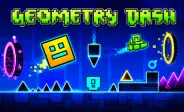





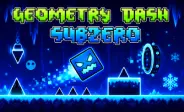
Geometry Dash Lite is a free rhythm-based platform game and a spin-off version of the original Geometry Dash series. Developed by RobTop Games and released on September 12, 2013, it brings the same fast platform action into a smaller and more accessible experience. You guide your character through dangerous levels while it moves forward automatically. Your job is to jump, fly, and react at the right moment to avoid spikes, gaps, blocks, and other hazards. The game combines bright visuals, electronic music, and simple controls to create challenging levels that are easy to start but take practice to master.
Time Your Jumps Carefully
Jumping at the right moment is the main skill you need. A jump that happens too early can make you hit an obstacle, while a late jump may cause you to fall into a gap.
You should watch the path ahead and learn the spacing between hazards. After several attempts, you can remember difficult sections and prepare your next move before reaching them.
Use Different Movement Modes
Your character can change into different game modes as you pass through special portals. Each mode has its own movement style, so you need to adjust your timing and control.
- Cube Mode: You jump over spikes, gaps, and blocks by tapping or clicking at the right moment.
- Ship Mode: You fly through the air by controlling how high or low the ship moves. Holding the control makes the ship rise, while releasing it lets the ship move downward.
- Ball Mode: You switch gravity by tapping or clicking, allowing your character to move between the floor and ceiling.
- UFO Mode: Each tap gives the UFO a separate jump or bounce, so you need to control the timing of every input.
- Wave Mode: You move in a sharp up-and-down pattern while holding or releasing the control. Small timing mistakes can quickly cause a crash.
- Robot Mode: You can make jumps with different heights by changing how long you hold the control.
- Spider Mode: You instantly switch between surfaces by tapping or clicking, making quick reactions important.
Music Helps With Timing
Music is an important part of the gameplay. The levels use electronic and rhythm-focused tracks that work with the action on screen.
You can listen to the beat while watching the obstacles. Some jumps and movements line up with parts of the music, giving you another way to judge when to act. Once you learn a section, the soundtrack can help you remember its timing.
Practice Makes You Better
You will likely fail difficult sections several times. Each failed attempt can help you understand where your timing needs to improve.
When you reach a hard part, remember the obstacle pattern and try again. Repeating the same section helps you learn jump distances and movement changes. With practice, actions that first seem difficult can become easier to perform.
Controls
The controls are designed to stay simple:
- Mouse Click: Control jumping or movement in supported versions.
- Spacebar: Jump or control movement where supported.
- Screen Tap: Control your character on compatible touch devices.
- Hold the Control: Some movement sections respond differently when you hold the input.
The exact controls can depend on the version and platform you use.
Main Challenges
Several things can make a level difficult:
- Fast movement: You have less time to react when the speed increases.
- Small landing areas: Some jumps require accurate timing.
- Gravity changes: Your movement can suddenly work in the opposite direction.
- Moving obstacles: You need to react while the course changes.
- Repeated sections: Small mistakes can force you to replay earlier parts.
Tips for Completing Levels
- Watch the Path Ahead - Look beyond your current position. Knowing what comes next gives you more time to prepare.
- Learn the Level Pattern - Remember where difficult jumps and portals appear. Familiarity can make later attempts more controlled.
- Listen to the Music - Use the beat as an extra timing guide, especially in sections that match the soundtrack.
- Do Not Rush - Quick reactions matter, but random tapping can make your timing worse. Make each input with a clear purpose.
- Take Breaks - If you keep failing at the same point, step away for a short break. Returning with fresh attention can help you react more accurately.








Spacebar Mode
Spacebar Hits
Spacebar games