


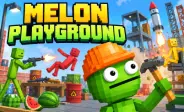
Melon Playground
Fill the form and submit.










Melon Playground is a physics sandbox game that gives you an open space to create, test, and explore different situations. Instead of following a fixed story, you can place characters, objects, tools, and machines wherever you want.
The game focuses on physics and free experimentation. You can build simple scenes, test how objects react, or create large chains of events. Gravity, movement, collisions, and explosions can change what happens in your setup, so even a small experiment can produce an unexpected result.
Build Your Own Sandbox
The main idea is to create your own situations inside an open sandbox. You can place characters, vehicles, machines, and other objects around the scene and decide how they should interact. There is no fixed path that you need to follow. You can start with a simple setup and slowly add more items to make the scene more detailed.
Moving objects to different positions can also change how the physics works. If you enjoy experimenting with physics and unusual object movement, GunSpin offers a different style of physics gameplay where recoil controls the movement of a weapon.
Experiment With Physics
Physics is at the center of the gameplay. Objects react when they fall, hit another item, or come into contact with different forces. You can test how gravity affects objects or see what happens when several items collide.
Explosions can also create chain reactions and move nearby objects. The results do not always happen exactly as expected. This is part of the fun because you can change your setup and try the experiment again.
Use Different Objects
A large selection of objects gives you many ways to build new scenes. Depending on your setup, you can use:
- Weapons: Add different tools to your experiments.
- Vehicles: Create moving scenes and test how vehicles react.
- Machines: Build setups with multiple moving parts.
- Explosives: Create powerful reactions and chain effects.
- Environment Items: Add objects that change the layout of your scene.
You can combine several items to create more complex situations. For example, you can place a vehicle near other objects and then test how everything reacts when movement begins.
Create Ragdoll Scenes
Ragdoll characters are another important part of the sandbox. Their bodies react to gravity, collisions, impacts, and other forces. You can place a character into different setups and watch how its movement changes.
A small impact may create a simple reaction, while a stronger force can send the character across the scene. Fans of ragdoll-based gameplay can also check out Ragdoll Hit, which focuses more directly on physics-based character movement and combat.
Try Different Experiments
You can create many types of scenes without following a fixed objective.
- Test gravity: Drop objects from different heights.
- Create collisions: Place objects together and observe the impact.
- Build machines: Combine several moving parts.
- Test vehicles: Explore movement and collisions.
- Create chain reactions: Connect several objects and watch the results.
- Change the setup: Move objects and repeat the experiment.
- Use ragdolls: Place characters into different physics situations.
If you like physics-based characters and unpredictable movement, Happy Wheels is another game from the same collection that offers obstacle-based challenges and ragdoll-style action.
Controls
- Mouse: Select, pick up, move, and place objects.
- Left Click: Select or interact with items.
- Drag: Move characters and objects around the sandbox.
- Right Click: Open additional options when available.
- Mouse Wheel: Zoom the scene in or out.
- Keyboard: Use supported keys for certain objects and actions.
- Touch Controls: Tap and drag objects on supported mobile devices.










Spacebar Mode
Spacebar Hits
Spacebar games